
You just shot a beautiful frame with your camera. Golden hour, perfect composition, clean background blur. Then you post it on Instagram and somehow your friend’s iPhone photo gets three times more likes.
That feeling is frustrating. And incredibly common.
Here is the honest truth: your camera is not the problem. Understanding why phone photos look better on social media comes down to processing, export settings, and knowing what each tool actually does. Once you understand this, everything changes.
Two things drive this instant advantage more than anything else.
Why Phone Photos Look Better Instantly
Phone photos look better on social media because they process images automatically before you even see the photo. Every smartphone runs computational photography in the background. It boosts colors, lifts shadows, and sharpens details in milliseconds. You get a ready-to-post image without touching any editing app.
Cameras, on the other hand, capture raw optical data and hand the editing work to you. That is powerful, but it means unedited camera photos always look flatter by comparison. Phones are not better optical machines. They are better processing machines. And on social media, instant processing wins every time.
HDR and AI Processing
Every modern smartphone runs aggressive computational photography in the background. HDR processing combines multiple exposures in milliseconds. Shadows lift automatically. Highlights recover before you even press the shutter.
Apple, Google, and Samsung have spent billions building AI that knows faces, skies, and textures. The result is a photo that looks polished without any editing. This is exactly why iPhone photos look better straight out of the camera app. The phone is doing heavy post-processing before you ever see the image. It is essentially editing the photo for you in real time.
HDR processing also boosts micro-contrast. Details in fabric, skin, and backgrounds pop immediately. On social media, that instant pop beats a technically superior RAW file that still needs editing.
Automatic Sharpening and Skin Tones
Phone cameras apply intelligent sharpening and skin smoothing automatically before saving any image. Portrait mode detects faces instantly and adjusts warmth, brightness, and clarity in real time. The result flatters people in a way that feels natural and effortless. There is no manual work involved. These are deliberate stylistic choices baked deep into the software. Brands like Apple and Samsung fine-tune these algorithms specifically for social media consumption on small screens. Your subject looks polished, your background looks clean, and the photo is ready to post in seconds.
Why Camera Photos Often Look Flat Before Editing
Camera photos look flat because they are designed to preserve data, not to impress you instantly. Unlike phones, cameras do not apply automatic contrast, sharpening, or color boosts. They hand you a clean, unprocessed file and expect you to finish the job. This is where the RAW vs JPEG choice becomes important. RAW holds every tonal detail your sensor captured, but it will look dull and lifeless straight out of camera. That is not a flaw. That is the whole point.
A low-contrast JPEG posted directly to Instagram will always look flat next to a phone photo. Camera JPEGs look more polished than RAW files straight out of camera, but even they need some editing to match the instant, processed look a phone delivers automatically.
The good news is worth remembering. Once you edit a properly exposed camera file, the quality gap becomes obvious immediately. You get cleaner shadows, more accurate colors, and detail that phones simply cannot produce physically.
Phone Camera vs Mirrorless Camera: The Real Difference
The phone camera vs mirrorless camera comparison comes down to physics and processing. Phones win on processing. Mirrorless cameras win on physics. Before diving into the details, here is a quick side-by-side look at where each one actually stands. This table makes the real differences easier to see at a glance.
| Feature | Phone Camera | Mirrorless Camera |
| Image Processing | AI-powered, automatic | Manual, RAW-based |
| Sensor Size | Small (1/1.7 inch) | Large (APS-C or Full-Frame) |
| Bokeh Quality | Simulated by software | Optically real |
| Low Light Performance | Noisy above ISO 800 | Clean up to ISO 3200+ |
| Editing Flexibility | Limited | Full RAW control |
| Lens Options | Fixed or limited | Interchangeable, vast |
| Social Media Ready | Instant, no editing needed | Requires post-processing |
| Long-term Quality | Degrades on large screens | Scales to print and beyond |
AI Processing vs Real Optical Quality
Phone cameras use AI to simulate what large sensors do naturally. The software fakes depth, bokeh, and low-light detail all at once. Sometimes it looks great. Often it falls apart on close inspection.
A mirrorless camera captures real light with a sensor that is 10 to 25 times larger than a phone sensor. That is not a software difference. That is a physical reality. More sensor area means more light, more detail, and more dynamic range.
In low light photography, this gap is massive. A mirrorless camera at ISO 3200 produces clean, usable images. A phone at ISO 3200 produces noisy, smeared, over-processed results.
Fake Blur vs Natural Bokeh
Natural bokeh is one of the clearest ways to separate camera quality from phone quality. Bokeh is the soft, smooth blur you see behind a subject when shooting with a wide-aperture lens.
Phones simulate this with depth-mapping algorithms. They estimate where the subject ends and the background begins. When it works, it looks decent. When it fails, you get bizarre edge artifacts around hair, glasses, or complex backgrounds.
A 35mm f/1.4 lens on a mirrorless camera creates natural bokeh optically. The blur is physically real. It wraps around your subject in a way AI cannot perfectly replicate. Backgrounds melt smoothly. Subject separation looks effortless.
Small Sensors vs Large Sensors
A phone sensor is roughly 1/1.7 inch. A full-frame mirrorless sensor is 36mm x 24mm. The size difference controls how much light hits the sensor. It also controls how much background compression and depth separation you achieve.
This is why the camera vs iPhone camera quality comparison always favors mirrorless in controlled situations. Better low light photography, cleaner dynamic range, and more accurate color rendering all come from sensor size.
For content that needs to look professional at full screen, a mirrorless camera wins consistently.
Why Your Camera Photos Look Blurry on Instagram
Camera photos look blurry on Instagram because of wrong export settings, aggressive compression, and incorrect aspect ratios. Not because your camera or lens is poor quality. Instagram processes every uploaded image through its own compression system. That system reduces file size automatically, and it is not gentle. A perfectly sharp camera file can come out looking soft, flat, and slightly smeared on the other side. Understanding what Instagram actually does to your photos is the first step to fixing the problem for good.
Three specific issues cause most of the blur people experience.
Wrong Export Settings
Instagram recommends specific export settings for sharp results. Export at sRGB color space, with output sharpening applied, at the correct file size. Many photographers skip these steps and wonder why their photos look soft. For best results, export JPEGs at around 85 to 90 quality. Apply slight output sharpening in Lightroom before exporting. This compensates for the compression Instagram will apply on top.
Social Media Compression
Social media compression is aggressive and unavoidable. Instagram, Facebook, and TikTok all reduce file size automatically. This strips fine detail and introduces subtle banding in smooth areas like skies and skin.
The way to fight this image compression is to upload at the correct resolution and aspect ratio. Instagram processes images best at 1080 pixels on the longest side. Uploading larger files does not always help and sometimes hurts.
Incorrect Aspect Ratio for Instagram
Instagram favors a 4:5 portrait ratio for feed posts. A 3:2 camera ratio gets letterboxed, which reduces the display size of your photo. A smaller display means less visual impact.
Crop your images to 4:5 before posting. This gives your photo maximum screen real estate. Instagram also does not need to resize it as aggressively, which preserves sharpness.
Why Lens Choice Matters More Than Camera Body
Lens choice matters more than camera body because the lens is what physically shapes light before it ever reaches your sensor. Your camera body simply records what the lens delivers. A poor lens produces soft, flat, characterless images regardless of how advanced your camera is. Most photographers obsess over bodies and ignore glass entirely. That is the wrong priority.
A great lens on a mid-range camera body will outperform a poor lens on a flagship body every single time. The lens controls sharpness, bokeh quality, color rendering, and low-light performance.
This is especially true when shooting cinematic photography. Cinematic images require smooth, natural rendering. Harsh, clinical sharpness from a cheap lens kills the cinematic feel immediately.
Investing in a quality prime lens is the single biggest upgrade most creators can make. It changes the way light renders, how backgrounds blur, and how your subject separates from the scene.
How Photographers Make Camera Photos Look Cinematic
Photographers make camera photos look cinematic by combining wide apertures, flat color profiles, and intentional editing in post. It is a deliberate process, not a preset. The cinematic look comes from controlling how light enters the lens, how the camera records it, and how you shape it in editing afterward. Achieving this requires real optical control at every stage, which is something phones simply cannot replicate.
Professional creators shoot RAW to preserve every tonal detail. They apply a Log or flat picture profile to keep highlights from clipping. In editing, they pull shadows up, push highlights down, and apply a warm or cool color grade. They also shoot wide open. An f/1.4 or f/1.8 aperture creates the smooth subject separation that defines cinematic images.
Getting the light right is where most creators struggle the most. These low light photography tips cover exactly what professionals do differently:
- Shoot at wider apertures like f/1.4 or f/1.8 to let in maximum light
- Keep your ISO as low as possible to avoid noise and grain
- Use a prime lens instead of a zoom for cleaner, sharper low-light rendering
- Apply subtle film grain in editing to add texture and remove the clinical digital look
Best Sigma Lenses for Creators Upgrading from Phones
If you are ready to move beyond phone quality, Sigma lenses for creators offer exceptional optical performance at prices that make sense. Sigma Pakistan is the official distributor, so you get genuine products with local warranty and support.
Sigma 30mm f/1.4 for Instagram Creators
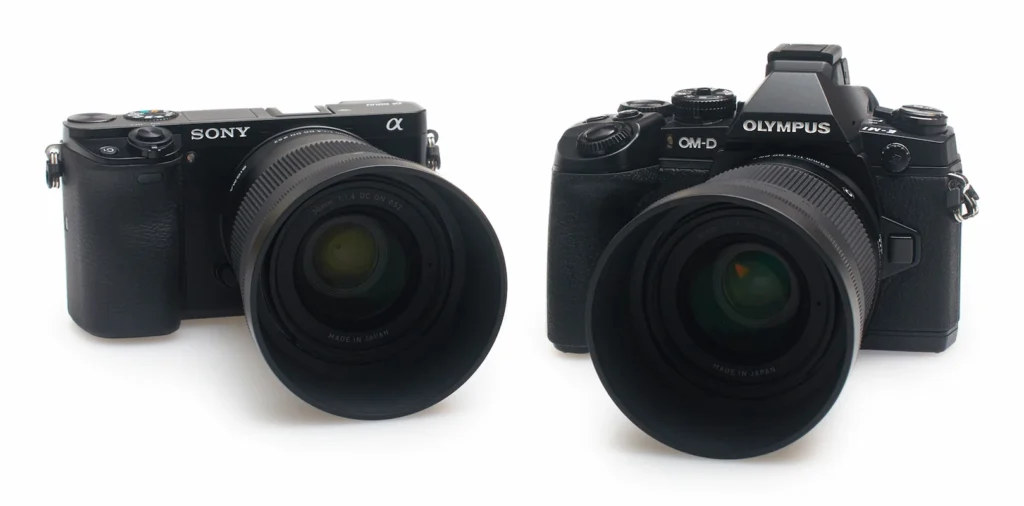
The Sigma 30mm f/1.4 DC DN Contemporary is a perfect first prime for APS-C mirrorless cameras. The 45mm full-frame equivalent focal length is flattering for portraits, products, and lifestyle content.
At f/1.4, the background separation is beautiful and immediate. Skin tones render warmly. The lens is compact and light enough to carry everywhere. For social media photo quality, this lens makes a visible difference from the very first frame.
Sigma 16mm f/1.4 for Vlogging and Reels
The Sigma 16mm f/1.4 DC DN Contemporary is built for video creators. The wide field of view captures environments naturally. At f/1.4, it performs exceptionally in low light photography situations like cafes, concerts, and evening shoots.
Vloggers and Reels creators will appreciate the sharp autofocus and smooth, cinema-quality rendering. This is one of the most practical Sigma lenses for creators working in mixed light conditions.
Sigma 18-50mm f/2.8 for Everyday Content
The Sigma 18-50mm f/2.8 DC DN Contemporary is the best single lens for creators who shoot everything. Events, portraits, travel, food, street this lens handles all of it with consistent f/2.8 across the zoom range.
The compact size is a major advantage. It is smaller and lighter than most standard zooms while delivering professional-grade optical quality throughout the focal length range.
Should Creators Still Buy Cameras in 2026?
Yes. Absolutely. Phones have improved dramatically. But the gap in real optical quality has not closed. It has simply shifted to more specific situations. A mirrorless camera for creators gives you full control over depth of field, exposure, and color. No phone AI can fully replicate what a large sensor and a quality prime lens produce together. If you shoot branded content, client work, or want your feed to stand out visually, a camera still gives you a competitive edge. The best content on Instagram and YouTube is still shot on cameras.
Two reasons explain why cameras still make sense for serious creators in 2026.
Cameras Outperform Phones Where It Actually Counts
The best camera for content creation in 2026 is one paired with good lenses. Body choice matters less than glass choice. A mid-range Sigma BF, Sony, Fujifilm, or Canon mirrorless body with a Sigma prime will outperform a flagship phone in most shooting conditions.
Camera files also scale far beyond social media. When a brand wants to use your image on a billboard, a website banner, or a print campaign, phone photos fall apart at that size. Camera files hold up cleanly because the data is physically there from the moment you press the shutter.
Beyond performance, there is another angle most creators overlook completely.
A Camera Is a Long-Term Creative Investment
Most creators think about the upfront cost and stop there. That is the wrong way to look at it. A mirrorless camera for creators is a long-term investment, not a short-term upgrade. Bodies get updated every few years. Good lenses last decades.
The Sigma Art and Contemporary lines stay relevant across multiple camera generations, making them smart buys for any serious creator. The best camera for content creation is always the one you understand how to use. And while the phone camera vs DSLR debate dominated photography forums for years, that conversation has moved on. Mirrorless is now the clear standard. It is lighter, faster, and more capable for both video and photo work.
Final Thoughts
Phone photos look better on social media because of instant AI processing, not superior optics. Camera photos require a bit of editing work to show their true quality. But once you see the real difference, you will never look at phone photography the same way.
The path forward is simple. Understand your export settings. Shoot with intention. Invest in a quality lens. Remember that social media photo quality improves more from your glass than from your camera body. If you are ready to make that upgrade, explore the full range of Camera lenses available at sigmaphoto.com.pk . Every lens is manufactured in Aizu, Japan, to standards that phone cameras will never match optically.
Your camera is not the problem. Now you know what is.
Frequently Asked Questions
Why do phone photos look better than camera photos?
Phones process images automatically before you see them. They boost colors, lift shadows, and sharpen details instantly. Cameras capture raw data and leave editing to you. That unedited camera file always looks flatter compared to a phone’s computationally processed result.
Why do my camera photos look blurry on Instagram?
Instagram shrinks every uploaded file automatically to save server space and speed up loading. High-resolution camera photos get compressed the most, and that process strips sharpness directly from your image. Export at correct settings, crop to 4:5, and apply output sharpening before uploading.
Is a mirrorless camera better than a phone camera?
yes. A mirrorless camera captures more light, produces cleaner details, and delivers real background separation that phones only simulate. But phones are faster and more convenient for everyday shooting. What you shoot and where you share it should drive your final decision.
Why do iPhone photos look sharper?
iPhones apply automatic sharpening, skin smoothing, and HDR processing before saving any image. The software detects faces, skies, and textures and enhances them instantly. The result looks sharp and polished without any editing, which is exactly what social media rewards.
How do creators make camera photos look professional?
Creators combine intentional lighting, strong composition, and RAW shooting to build a solid foundation in camera. Color grading and careful post-processing polish the final result. Professionalism comes from both what you do before pressing the shutter and what you do after.

1 thought on “Why Do Phone Photos Look Better Than Camera Photos on Social Media?”
Hi, just wanted to mention, I enjoyed this blog post.
It was practical. Keep on posting!