
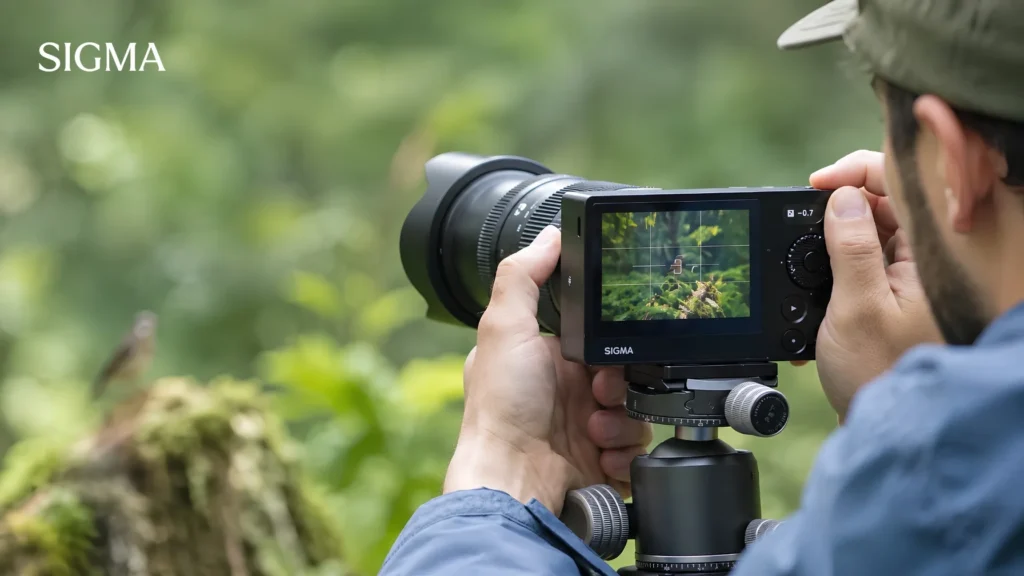
Golden hour. The light is finally right. The interview is running well. Then your camera stops mid-take. A thermometer icon flashes. The shot is gone, and the moment will not repeat. Camera overheating while recording frustrates video creators across Pakistan every summer. It affects budget bodies and flagship mirrorless models alike. Rooftop shoots in June trigger it. So do long takes inside cool, closed studios.
Heat builds inside a sealed chamber during long clips. Eventually the processor throttles, or the body shuts down completely.
The good news is simple. Most cases are predictable, and most are preventable. This guide covers the real causes, the settings that matter, and the accessories worth buying. You will also learn how lens choice changes your thermal load. By the end, you will know exactly what to change before your next shoot.
Why Does Your Camera Overheat While Recording
Your camera overheats because it produces more heat inside than its body can release.
Modern mirrorless bodies pack a large sensor, a fast processor, and a battery into a tight space. Meanwhile, the chassis has no fan and very few vents. So heat collects instead of escaping.
Video makes this far worse than stills. Photo shoots rarely trigger it at all. So many creators only ask why is my camera overheating after they start recording video. The answer is duration. Stills use short bursts of power. Video runs the sensor and processor continuously for many minutes.
Three factors drive most cases of camera video overheating:
- Recording settings that demand heavy real-time processing
- Internal components generating heat with nowhere to vent
- Background systems like autofocus and stabilization running nonstop
4K, High Frame Rates, and Long Recording Sessions
High-resolution and high frame rate modes create the most heat, because they move the largest amount of data.
Your sensor reads millions of pixels many times per second. The processor then compresses that data instantly. Higher resolution means more pixels. Higher frame rates mean more reads per second. Both raise power draw, and power draw becomes heat.
4K recording overheating usually appears after 15 to 30 minutes of continuous capture. Also, 4K at 60fps heats up much faster than 4K at 24fps. Similarly, 10-bit files load the processor harder than 8-bit files. Oversampled 4K, which reads the full sensor width, runs hotter than line-skipped 4K.
Long sessions compound everything. One 40-minute interview take generates far more heat than eight five-minute clips. Short breaks let the body shed heat between takes.
Sensor, Processor, and Battery Heat
Three components produce almost all the warmth inside your camera.
The sensor works constantly throughout video capture. Camera sensor overheating shows up as extra noise, warm-toned artefacts, and finally a shutdown notice. Sensor heat also climbs when you rely on an electronic shutter for long stretches.
The processor sits very close to the sensor. It handles compression, noise reduction, and live output at once. That workload then draws current, which becomes battery heat. Older cells and low-quality third-party batteries run noticeably warmer.
Small bodies suffer most of all. Compact APS-C cameras hold less internal volume than larger cinema bodies. So the same workload raises internal temperature much faster.
Continuous Autofocus and Stabilization Load
Continuous autofocus and in-body stabilization add steady background heat.
Eye AF tracks your subject frame by frame. As a result, the processor runs detection without pause. IBIS moves the sensor unit on magnets, and those magnets draw constant current.
If your camera keeps overheating during static interviews, these systems are likely contributors. Locking focus manually reduces load on fixed shots. Turning IBIS off on a tripod removes another heat source entirely.
Screen brightness and wireless transfer add smaller amounts. Still, they matter across hour-long sessions.
Is Camera Overheating Normal, or a Warning Sign
A warm body is normal, but repeated shutdowns within minutes are not.
Most cameras run warm during video, and manufacturers design for exactly that. A thermal cut-off protects the sensor from damage. So a shutdown is a safety feature, not a defect by itself.
However, some patterns deserve real attention. Camera overheating that begins within five minutes suggests an underlying fault. The same applies to shutdowns during stills-only shooting.
Mirrorless camera overheating is more common than DSLR overheating. Mirrorless bodies keep the sensor live at all times. DSLRs expose the sensor only during actual capture.
| Sign | Likely meaning | Action to take |
| Warm grip after 20 minutes of 4K | Normal thermal behavior | Keep shooting and monitor |
| Icon after 25 to 40 minutes | Expected limit for compact bodies | Lower settings or add cooling |
| Shutdown within 5 minutes | Battery, firmware, or hardware fault | Test another battery, then update firmware |
| Heat during stills only | Probable hardware fault | Book an authorized service check |
A camera overheating warning icon almost always appears before shutdown. Treat it as a cue to pause, not a reason to panic.
How to Stop Camera Overheating
You stop it by reducing internal workload, improving airflow, and managing power.
No single change solves every case. Instead, layer several fixes together. Most camera overheating problems respond to three or four small adjustments. Learning how to stop camera overheating starts with your menu, not your wallet.
The camera overheating solutions below run from free to paid. Start at the top.
Adjusting Resolution, Bitrate, and Codec Settings
Lowering resolution, bitrate, or codec complexity gives the fastest temperature drop.
- Record 4K at 24p or 25p instead of 60p for talking-head work
- Choose 8-bit when heavy color grading is not planned
- Prefer H.264 over H.265 on bodies that struggle with compression
- Switch off in-camera noise reduction and unnecessary corrections
- Drop to 1080p for webinars and streams, since viewers rarely notice
The simplest camera overheating fix is often a frame rate change. Moving from 4K/60 to 4K/30 roughly halves the data your processor handles each second.
Many cameras also hide a thermal setting in the menu. Sony labels it Auto Power OFF Temp, and the High option allows longer runtimes. The body will feel hot afterwards, which is expected behaviour.
Improving Airflow and Using External Power
Airflow and power changes reduce heat without touching image quality.
Batteries release heat as they discharge. Therefore, external power removes one internal heat source completely. A dummy battery with a mains adapter works well for studio setups.
Practical steps for how to keep camera cool while recording:
- Flip the rear screen fully open so the panel can breathe
- Avoid pressing the body against foam padding or closed cage panels
- Keep spare batteries in a cool bag and swap them early
- Power the camera off between takes instead of leaving it idle
- Place the tripod away from lights, walls, and reflective surfaces
Standby mode still keeps the sensor active on many bodies. So a genuine power-off between segments helps more than it seems.
When a Camera Cooling Fan Actually Helps
A cooling fan helps most during long, static, indoor recording where the camera cannot move.
The fan pulls heat away from the rear panel. That panel sits directly behind the sensor and processor. So active airflow there delays thermal build-up in a measurable way. Fans do far less for run-and-gun work, where clips stay short anyway.
Treat a fan as the last step, not the first. Settings and airflow fixes cost nothing and often solve the problem alone.
Checking for Firmware Updates
Firmware updates often change thermal behaviour directly.
Manufacturers tune heat limits well after launch. Several bodies gained longer record times through software alone. Sony camera overheating complaints have been addressed through Alpha firmware revisions. Canon camera overheating on the EOS R5 also improved after Canon revised record and recovery timing.
Keep the maintenance routine simple:
- Check the official support page for your exact model number
- Update lens firmware too, because AF behaviour affects processor load
- Use the Sigma USB Dock to update compatible Sigma lenses at home
Camera Overheating During Streaming and Long Shoots
Continuous output sessions create the hardest thermal test a camera faces.
Streams and long shoots remove every natural cooling break. Clean HDMI output also keeps the processor busy without pause. Therefore, planning matters far more than gear in these situations.
YouTube, Podcasts, and Interview Setups
Static indoor setups overheat because the camera never moves and airflow never changes.
Studio lights add ambient warmth to a closed room. Camera overheating while streaming commonly begins near the 45-minute mark in such conditions.
- Stream at 1080p and record 4K locally only when clients require it
- Use manual focus with marked positions for fixed seating
- Position the camera outside the spill of your key light
- Run mains power through a dummy battery for unlimited runtime
- Add a rear cooling fan for sessions beyond one hour
Two-camera setups help as well. Simply alternate recording duties and let each body rest.
Weddings and Outdoor Video Shoots
Wedding and outdoor work combines high ambient temperature with long unpredictable takes.
Ceremonies never pause for a cooling cycle. So preparation replaces mid-shoot troubleshooting here.
- Rotate between two bodies across coverage segments
- Store spare batteries in a cool bag, never in a hot car boot
- Shoot 4K/25p unless slow motion is genuinely required
- Shade the camera with your body or an umbrella between takes
- Wipe condensation after moving from cold halls into open lawns
Barat and Mehndi coverage often runs straight through midday hours. Plan your camera swaps around the hottest part of the schedule.
Recording in Pakistan’s Heat: What Changes
High ambient temperature shortens every recording limit printed in your manual.
Manufacturers test around moderate room temperature, often near 23°C. Lahore regularly crosses 40°C through May and June. Karachi adds heavy humidity to the same problem. So a body rated for 30 minutes may stop much sooner here.
Direct sunlight remains the biggest local factor. A black camera body absorbs radiant heat very quickly. Ten minutes on a sunny rooftop raises surface temperature before recording even begins.
Local habits that genuinely work:
- Keep the camera bagged and shaded until the moment of use
- Cover the body with a light cloth between outdoor takes
- Never leave gear on a car dashboard while moving locations
- Schedule outdoor interviews before 10am or after 5pm
- Step into air conditioning during forced cooling breaks
Camera overheating simply arrives faster in this climate. Photographers in Lahore can also test body and lens combinations in person at the Sigma Pakistan display center in Japan Street Camera Market, Nisbat Road.
How Lens Choice Affects Your Video Setup
Lens choice does not create sensor heat directly, yet it changes how hard your camera works.
Autofocus motor design matters most. Lenses with efficient stepping or linear motors settle fast and stop hunting. Constant hunting keeps the processor active and warm. Lens corrections applied in-camera also add processing, so well-corrected optics help.
Sigma builds several options that suit long-form video:
- The 18-50mm F2.8 DC DN Contemporary stays compact and light on APS-C bodies
- The 28-70mm F2.8 DG DN Contemporary covers full-frame without adding bulk
- The 24-70mm F2.8 DG DN II Art fits professional multi-camera setups
- The 35mm F1.4 DG II Art pairs fast linear autofocus with low-light headroom
Weight matters too. A heavy lens forces a bulkier rig, and tight rigs restrict airflow around the body. Current stock and mount options are listed on sigmaphoto.com.pk.
When Overheating Means It’s Time for Different Gear
Overheating means it is time for different gear when shutdowns keep repeating after every fix.
Watch for these signs:
- You need unbroken takes longer than 40 minutes on most jobs
- Client delivery depends on 4K/60 or 10-bit footage
- You have already applied every settings and airflow fix
- Shutdowns have cost you paid footage more than once
Vented and actively cooled bodies exist precisely for this reason. Cinema-line cameras trade compact size for reliable runtime. Persistent camera overheating on paid shoots becomes a business risk, not a minor annoyance.
Before replacing a body, audit your lenses as well. Reliable autofocus reduces retakes, and fewer retakes mean less total recording time. Sigmaphoto Pakistan provides authorized warranty support and mount guidance through its Lahore display center. That support matters when gear runs hard in local conditions.
Frequently Asked Questions
Why does my camera overheat while recording?
Your camera overheats because video runs the sensor and processor continuously. Heat builds inside a sealed body with no fan. High resolution, long takes, and hot weather speed this up.
How do I keep my camera cool while recording?
Lower your frame rate, open the flip screen, and use external power. Shoot in shade and switch the body off between takes. A rear cooling fan helps during long indoor sessions.
Does recording in 4K cause overheating?
Yes, 4K raises heat in compact mirrorless cameras because the sensor reads more pixels every second. Higher frame rates and 10-bit files add further load. Most bodies warn after 15 to 30 minutes.
Can overheating damage a camera?
Normally no, because the thermal cut-off shuts the camera down before damage occurs. Repeated extreme heat can still shorten sensor and battery life. Shutdowns within five minutes suggest a fault.
Why does my camera shut down while recording?
Your camera shuts down to protect the sensor once internal temperature crosses a safe limit. A thermometer icon usually appears first. Cooling for ten minutes restores normal operation.
Is it normal for a mirrorless camera to get hot?
Yes, mirrorless bodies run warm because the sensor stays active constantly. A warm grip after twenty minutes is expected. Repeated shutdowns or heat during stills indicate a real problem.
