

You’re at a wedding. The moment is perfect. You half-press the shutter and nothing happens. Your autofocus not working is one of the most frustrating experiences any photographer faces. It doesn’t matter if you shoot professionally or just on weekends. It happens to everyone, at the worst possible moment.
The thing is autofocus failure rarely comes out of nowhere. There’s always a reason behind it. A wrong setting. A dirty contact. A firmware mismatch. Sometimes it’s something as simple as a switched button on your lens barrel.
Thankfully, most autofocus problems are completely fixable. You don’t always need a repair shop or a technician. In most cases, a few simple adjustments solve the issue entirely. This guide walks you through every common cause and exactly how to fix it so you never miss a shot again.
Why Is Your Autofocus Not Working?
Autofocus issues don’t always mean something is broken. In fact, the problem is usually a setting, a compatibility issue, or basic maintenance. Modern cameras have complex AF systems. One wrong setting can throw everything off. Understanding why autofocus fails helps you fix it faster. More importantly, it helps you avoid the same mistake during your next shoot. Let’s break it down properly.
7 Common Reasons Your Autofocus Is Not Working
Understanding why focus failure puts you back in control instantly. The answer almost always falls into one of these seven categories. Each one is common, well-documented, and completely solvable. Work through them one by one until your AF is back on track.
1. Wrong Focus Mode
This is the most overlooked mistake. Every camera has multiple focus modes. Choosing the wrong one causes immediate autofocus failure.
- AF-S (Single) — locks focus on a still subject
- AF-C (Continuous) — tracks a moving subject
If you’re shooting a running athlete in AF-S mode your camera won’t track. It simply locks and stops. For example, a sports photographer switching from portraits often forgets to change focus modes. The result? Blurry action shots despite perfect light.
Fix: Always match your focus mode to your subject. Still subjects need AF-S. Moving subjects need AF-C.
2. Focus Area Settings
Your camera needs to know where to focus. If your focus area is set incorrectly, it hunts endlessly or locks on the wrong subject entirely.
Common focus area modes include:
- Single point — you choose exactly where to focus
- Zone AF — focuses within a selected area
- Wide/Auto AF — camera decides the focus point
Fix: Generally, wide AF works well for casual shooting. But for portraits, product photography, or precision work a single point gives you full control. Additionally, modern mirrorless cameras offer eye-detection and subject-tracking AF. Make sure these are enabled when shooting people or animals.
3. Low Light Conditions
Autofocus systems need contrast to work. In low light, contrast drops and AF struggles to lock on. This is why your camera hunts back and forth in dim rooms or evening shoots. It’s not broken. It’s looking for contrast it can’t find.
Practical fixes:
- Use your camera’s AF assist beam if available
- Focus on an edge or area with contrast not a flat surface
- Switch to manual focus in extremely dark conditions
- Use a torch briefly to help your camera lock focus, then shoot
Notably, mirrorless cameras generally handle low-light AF better than DSLRs. Phase-detection pixels spread across the sensor give them a real advantage here.
4. Lens or Camera Compatibility Issues
Not every lens works perfectly with every camera body. This is especially true with adapted lenses or older glass on newer camera systems. DSLR vs Mirrorless autofocus problems are common when photographers switch systems. An EF lens adapted to an RF mirrorless body may autofocus slower or inconsistently. This isn’t a fault, it’s a system limitation.
Sigma lens autofocus issues can also occur when using non-native mount lenses on incompatible bodies. Always verify that your specific lens model is fully compatible with your camera body before buying. Check the manufacturer’s official compatibility chart. Similarly, third-party lenses sometimes need a firmware update to communicate properly with newer camera bodies. This is one of the most common and most ignored causes of autofocus failure.
Fix: Always verify that your specific lens model is fully compatible with your camera body before buying. Check the manufacturer’s official compatibility chart.
5. Dirty Lens or Sensor
Dust and grime on lens contacts cause communication errors between your lens and camera body. When the camera can’t communicate with the lens, autofocus stops working entirely. Lens contacts cleaning is something most photographers skip. But it takes less than two minutes and can instantly fix an autofocus problem.
How to clean lens contacts:
- Remove the lens from the camera body
- Use a dry, lint-free cloth or a clean pencil eraser gently on the contacts
- Never use liquid cleaners directly on contacts
- Reattach the lens firmly and test autofocus
In the same way, a dirty front element or smudged glass can reduce contrast making it harder for your AF system to lock on accurately.
6. Minimum Focus Distance Issue
Every lens has a minimum focusing distance. Go closer than that and autofocus fails completely. The lens simply cannot physically focus at that range. To illustrate, the Sigma 85mm f/1.4 DG DN Art has a minimum focusing distance of 85cm. If you’re shooting a portrait or product at 40cm away, autofocus will hunt indefinitely and never lock. This is one of the most common lens autofocus issues beginners face. They blame the lens or camera. The real issue is simply being too close.
Fix: Step back until you’re beyond the minimum focusing distance. Check your lens specification sheet for the exact distance. It’s always listed clearly. For macro work, use a dedicated macro lens.
7. Weak Battery
A low battery affects more than just your shot count. It directly impacts autofocus performance. AF motors need consistent power to operate accurately. A weak battery causes slow, hesitant, or completely failed autofocus. Consequently, always carry a fully charged spare battery on every shoot. This is especially important for wildlife and sports photographers who shoot continuously.
As a practical tip if your AF suddenly gets sluggish mid-shoot, check your battery level first. It solves the problem more often than you’d expect. Moreover, keep a fully charged spare battery. Especially for events and outdoor shoots.
How to Fix Autofocus Issues Step by Step
Before anything else, work through this checklist systematically. Most autofocus problems are resolved within these steps.
- Step 1: Check your AF/MF switch on the lens barrel. Make sure it’s set to AF, not MF. This single switch causes more autofocus failures than any other reason.
- Step 2: Verify your focus mode matches your subject. Use AF-S for still subjects, AF-C for moving ones.
- Step 3: Check your focus area setting. Switch to single-point AF for precise control.
- Step 4: Perform lens contacts cleaning. Remove the lens, clean the gold contacts gently, and reattach firmly.
- Step 5: Check your camera lens firmware. Connect your camera to the manufacturer’s software and install any available updates.
- Step 6: Perform a firmware update on both camera body and lens. Outdated firmware is a leading cause of autofocus errors.
- Step 7: Test the lens on a different camera body if possible. This isolates whether the issue is the lens or the body.
- Step 8: Reset your camera to factory settings. Sometimes a corrupted setting causes persistent AF failure.
- Step 9: If nothing works, contact your camera brand’s official service centre or local authorized reseller.
Run this list before spending money on repairs. Nine times out of ten, one of these steps solves it.
Best Camera Settings for Accurate Autofocus
Getting your settings right prevents most autofocus issues before they happen. Here are the most important settings to check:
- Focus Mode: Match to your subject. AF-S for static. AF-C for action.
- Focus Area: Use single-point for portraits and product shots. Use wide or zone AF for fast-moving subjects.
- AF Sensitivity: Some cameras let you adjust how quickly AF responds to subject changes. For sports, set it higher. For portraits, lower sensitivity prevents the camera from refocusing on background elements.
- Eye/Face Detection: Enable this for portrait and event photography. It dramatically improves consistency.
- Back-button focusing: It is worth learning if you haven’t already. It separates focus from the shutter button giving you far more control. Press the back AF button to lock focus. Press the shutter only when you’re ready to shoot. As a result, you eliminate accidental refocusing between shots. Many professional photographers swear by this technique exclusively.
- Pre-AF: Some mirrorless cameras continuously focus even before you half-press the shutter. Enable this for faster lock-on when shooting quickly.
Autofocus vs Manual Focus – When to Switch
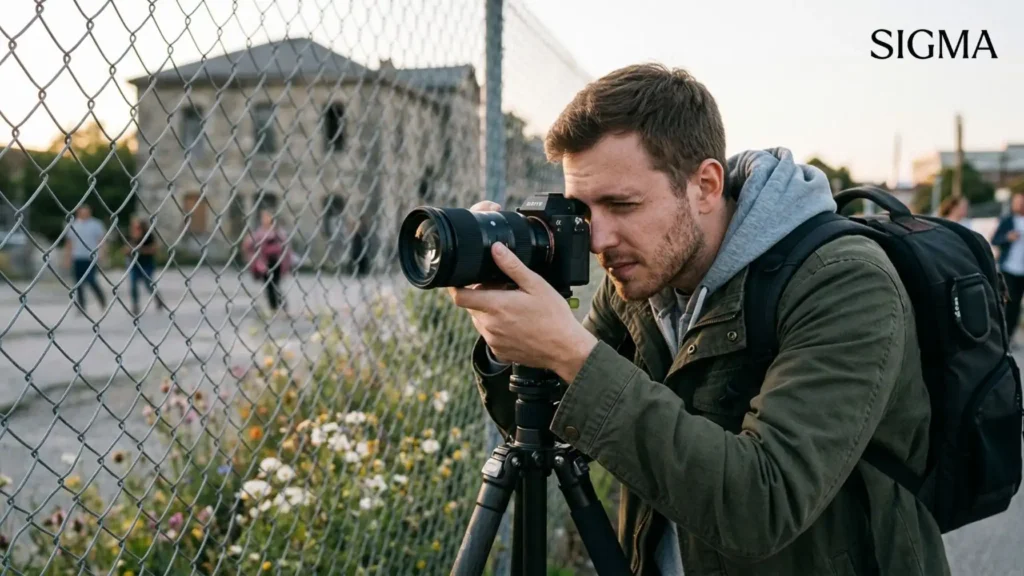
Autofocus is powerful but it’s not always the right choice. Knowing when to switch separates good photographers from great ones.
Use Autofocus when:
- Shooting fast-moving subjects
- Doing event or wedding photography
- Using Eye AF for portraits
- Working in decent light conditions
Switch to Manual Focus when:
- Shooting through glass or fences (AF locks on the obstacle)
- Working in very dark conditions
- Doing macro photography
- Filming video where smooth pulls matter
- Your lens is hunting and can’t lock
- Shooting astrophotography (autofocus struggles to lock on stars, manual infinity focus works best)
The key insight is that manual focus isn’t a fallback for broken autofocus. It’s a deliberate creative choice. Interestingly, many experienced photographers use manual focus even when their AF works perfectly. Knowing when to switch is a skill. The best photographers don’t rely on one, they know both.
How Lens Quality Affects Autofocus Performance
Your camera body doesn’t do all the work. The lens plays an equally important role in autofocus performance. Specifically, the AF motor inside the lens determines how fast and how quietly it focuses. Older lenses use screwdriver-driven AF motors, which are noisy, slow, and less accurate. Modern lenses use ultrasonic or linear motors fast, silent, and precise.
This matters practically for video shooters. A noisy AF motor gets picked up by your microphone. A silent stepping motor lens solves this completely. Beyond that, optical quality affects autofocus accuracy. A lens with poor contrast renders even wide open gives the AF system less contrast information to work with. This leads to hunting and missed focus.
Sigma DN lens lineup is built with linear AF motors. They focus quickly, quietly, and accurately even in challenging conditions. For Pakistani photographers upgrading from kit lenses, the difference in AF speed and accuracy is immediately noticeable.
When You Should Upgrade Your Lens for Better Autofocus
Sometimes the problem isn’t settings or firmware. The honest answer is that your lens has simply reached its limit.
Consider upgrading your lens when:
- AF hunting is consistent across all settings and cameras
- Your lens is more than 8-10 years old with a screwdriver AF motor
- You’re shooting video and AF noise is ruining your audio
- Your current lens doesn’t support eye-detection or subject-tracking AF
- You’ve cleaned contacts, updated firmware, and the problem persists
A camera body upgrade won’t fix a slow lens. AF performance comes from the lens motor as much as the camera processor. Therefore, investing in a better lens often delivers more improvement than a body upgrade. For photographers in Pakistan, Sigma’s lens range offers a genuinely affordable path to faster, more reliable autofocus. Whether you shoot portraits, wildlife, or video content there’s a Sigma lens optimized for your use case.
Sigma Pakistan is the official local source for genuine Sigma lenses. Consequently, you get authentic products, local warranty support, and reliable after-sales service. This matters when you depend on your gear professionally.
Final Thoughts
Autofocus not working is rarely a catastrophic problem. In most cases, it’s a setting, a firmware issue, a dirty contact, or a simple distance mistake. Work through the checklist in this guide systematically and you’ll solve it faster than you expect. To summarize, check your AF/MF switch first. Then your focus mode, focus area, and battery. Clean your lens contacts. Update your firmware. And if the problem persists, consider whether your lens is holding your camera back.
This focusing issue doesn’t have to ruin your shoot. With the right knowledge, you can diagnose and fix most issues in minutes right there on location. If you’re ready to invest in a lens that simply works, explore Sigma Pakistan official range. Genuine glass, local support, and autofocus performance you can depend on.
Frequently Asked Questions
Does a low battery affect autofocus speed?
Yes, a low battery can impact autofocus performance. As battery levels drop, the camera may reduce power to essential systems, including autofocus motors. This can lead to slower focusing or inconsistent performance. For best results, always shoot with a well-charged battery, especially during fast-paced or critical shooting situations.
How do I reset my autofocus?
To reset autofocus, access your camera’s settings menu and restore default shooting or AF settings. You can also switch the lens from AF to MF and back to AF. Additionally, turn the camera off and on again. This helps clear temporary glitches and restores normal autofocus functionality quickly.
Why does my lens focus in daylight but not at night?
Autofocus struggles in low light because it relies on light and contrast to detect edges and measure distance, both of which are limited at night. In daylight, focusing is faster and more accurate. At night, use a wider aperture, increase ISO, or enable an AF assist light for better results.
Why is my camera lens not focusing automatically?
Your lens may fail to autofocus due to incorrect settings, dirty electronic contacts, or challenging conditions like low light, low contrast, or subjects being too close. Ensure the lens is set to AF mode, clean the metal contacts, and check minimum focusing distance. Updating firmware can also help restore proper autofocus performance.
How do I improve autofocus accuracy?
Improve autofocus accuracy by selecting the correct AF mode, such as single-point for precision or continuous AF for moving subjects. Use well-lit scenes, clean your lens, and keep firmware updated. Additionally, choose the right focus area and avoid obstructions to deliver sharp, consistent focusing results.
